
Productivity

Digital Literacy & Productivity

Build practical digital skills from computer basics and safe browsing to creating, analyzing, and presenting work with Microsoft and Google tools.
Duration
2 months
Format
In-person, Online
Level
Beginner
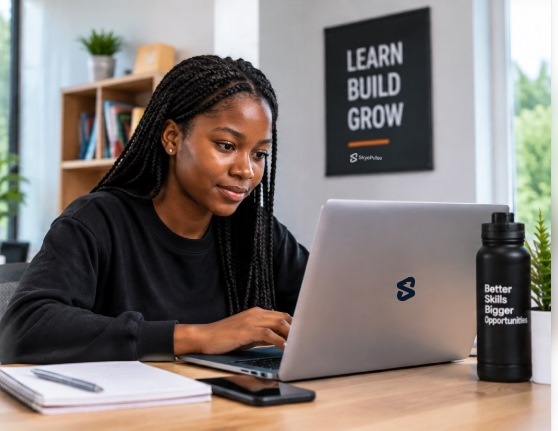
Learner working at a laptop with a notebook and phone on the desk

Weekly commitment

6 hrs / week

01

Overview

This two-month programme combines computer and internet fundamentals with practical productivity skills. Learn to use computers confidently, type professionally, communicate and collaborate online, browse safely, and create useful documents, spreadsheets, and presentations with Microsoft Office and Google Workspace. The course also introduces AI awareness and responsible digital citizenship, with guided exercises that build a portfolio of practical work.

Build practical digital skills from computer basics and safe browsing to creating, analyzing, and presenting work with Microsoft and Google tools.

02

Curriculum

Every course module is 100% hands-on, focused on practical skills and real-world projects.

Programme complete
03

Who it is for

  • Beginners building confidence with computers and digital tools
  • Students who want practical productivity skills for academic work
  • Job seekers preparing for office and administrative roles
  • Professionals who want to improve everyday digital workflows
04

Requirements

The programme begins with computer and operating system fundamentals; no prior professional experience is required.

05

What you will be able to do

  • Operate a computer, manage files, and use common internet tools with confidence.
  • Communicate and collaborate online while applying safe browsing practices.
  • Create and format professional documents with Microsoft Word.
  • Organize spreadsheet information and present it using Microsoft Excel.
  • Build clear presentations with Microsoft PowerPoint.
  • Use Google Workspace and AI tools with awareness of responsible digital practices.
06

Certificate

The source course page lists a completion certificate for learners who finish the programme.

07

Tools

  • Computer & operating system
  • Microsoft Word
  • Microsoft Excel
  • Microsoft PowerPoint
  • Google Workspace
  • ChatGPT
08

Roles this skill is used in

  • Office Assistant
  • Administrative Support Officer
  • Virtual Assistant
  • Data Entry Analyst
  • Business Support Executive
  • Freelance Document & Presentation Creator
09

Projects

  • Formatted report created in Microsoft Word
  • Organized spreadsheet with calculations and charts
  • Presentation that communicates findings clearly
  • Digital productivity portfolio combining course work samples
10

Start dates

Dates to be confirmed
in-person Enrolling
Dates to be confirmed
online Enrolling